MyCncMill V3 – The Free GRBL CNC Suite

Full GRBL machine control  ·  3D G-Code visualization  ·  NC Simulation  ·  Material removal preview

Complete GRBL Machine Control — All in One Window

  • Serial Connection: Auto-detect available COM/USB ports, configure baud rate and connect to any GRBL-compatible CNC machine in seconds.
  • Real-Time Position Display: LED-style X/Y/Z readouts for both MCS (Machine Coordinate System) and WCS (Work Coordinate System) — always know exactly where your machine is.
  • Jog Controls: X+/X−/Y+/Y−/Z+/Z− jogging with selectable step sizes from 0.1 mm to 50 mm — full keyboard-friendy layout.
  • MDI Execution: Easy manual NC sentence input and execution via MDI input window
  • NC Program Execution: Play ▶ / Pause ⏸ / Stop ⏹ with flow-control G-Code streaming that respects GRBL buffer limits.
  • Feed & Spindle Override: Real-time sliders to adjust feed rate and spindle speed (50–100 %) while the program is running.
  • 3D G-Code Path Visualizer: Interactive vedo/VTK toolpath with feed/rapid color coding, live progression overlay and automatic X/Y/Z extents display.
  • NC Simulation: Step-by-step playback with a seek slider, synchronized G-Code line highlight and adjustable speed — preview every cut before the spindle turns.
  • Material Removal Simulation: Volumetric voxel simulation carves the workpiece block live — see the finished surface before you cut.
  • GRBL Settings Editor: Read and write all GRBL parameters ($0–$132) with full parameter names — import/export as JSON for machine profiles.
  • WCS Setup: Homing ($H), Set G54 here, Go WCS Zero (G0 X0Y0Z0), Safe Z +10 mm and WPCS Zero — all with dedicated buttons.
  • Image2STL Project Support: Load a .i2s project file to get the roughing and finishing G-Code plus matching tool geometry — switch passes with one click.
  • Resume After E-Stop: After an alarm or reset, choose to resume from the last sent line or restart the NC program from the beginning.
  • Human-Readable GRBL Diagnostics: All 37 error codes and 9 alarm codes translated to plain English in the color-coded machine status log.

Download MyCncMill

Get the latest version and start your milling projects today!
⬇ DOWNLOAD Linux ⬇ DOWNLOAD Windows

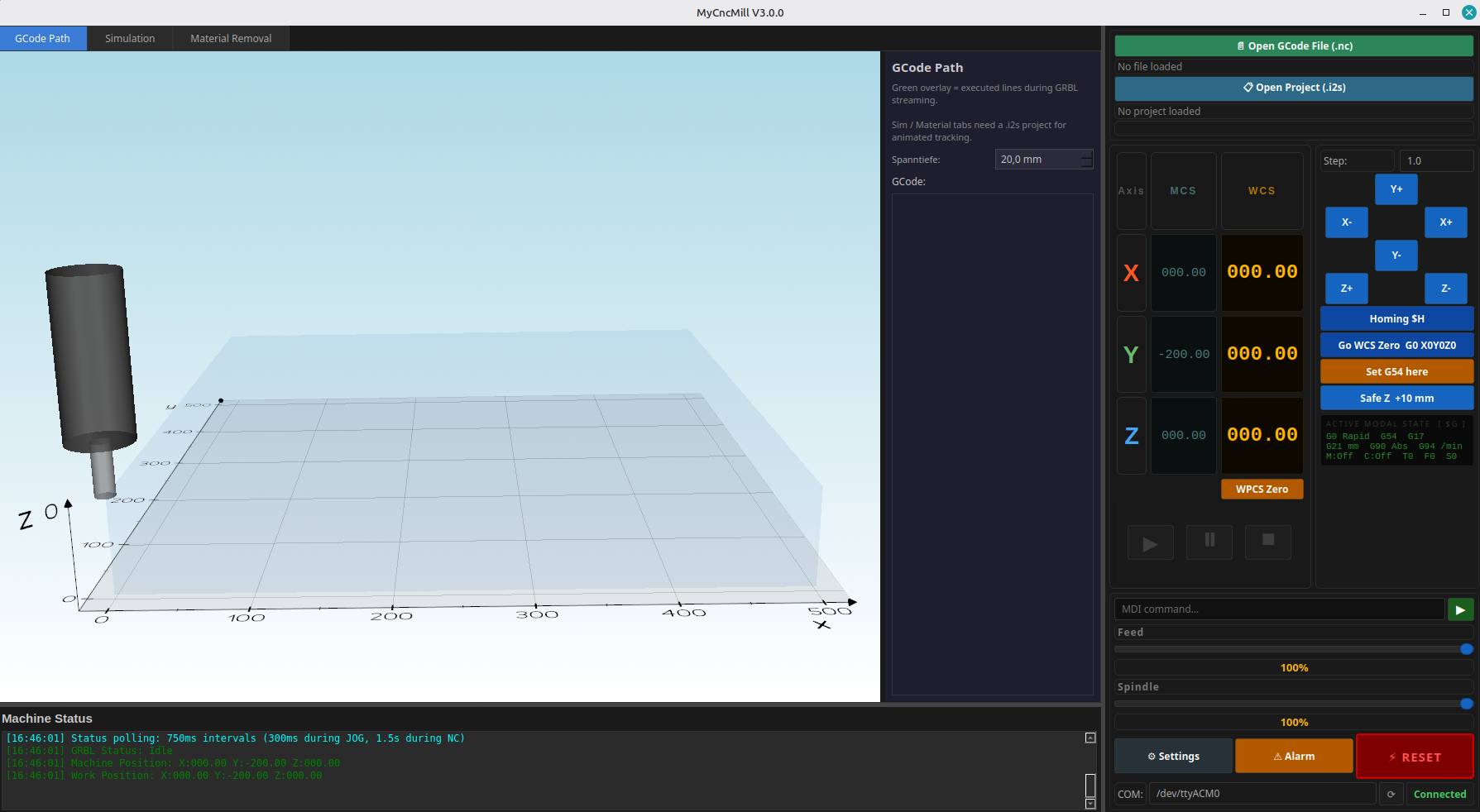
MyCncMill V3 — Main Window

Unified split-pane layout — interactive 3D visualizer on the left, full GRBL control panel on the right. Resizable via drag handles.
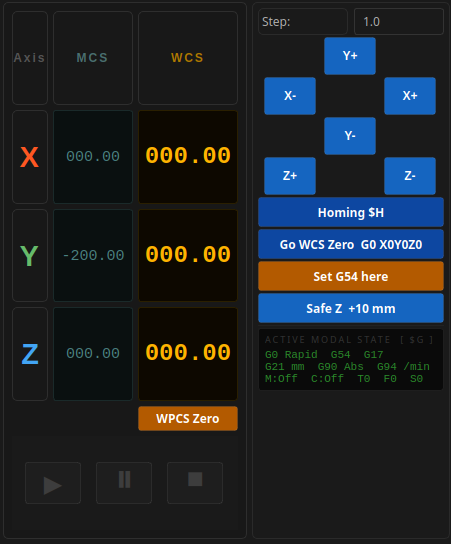
Position Display & Jog Controls

LED-style X/Y/Z readouts for MCS and WCS. Jog pad with step sizes from 0.1 mm to 50 mm. Active modal state ($G) display below.
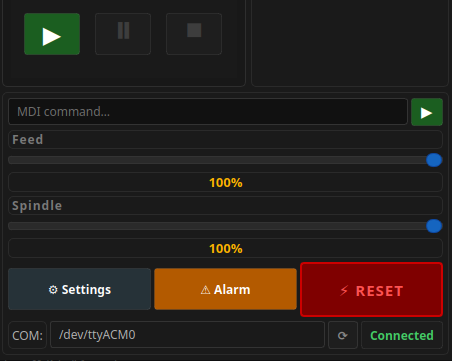
NC Execution & Overrides

Play/Pause/Stop controls for NC programs. Real-time feed and spindle override sliders. Alarm cancel and soft reset buttons.
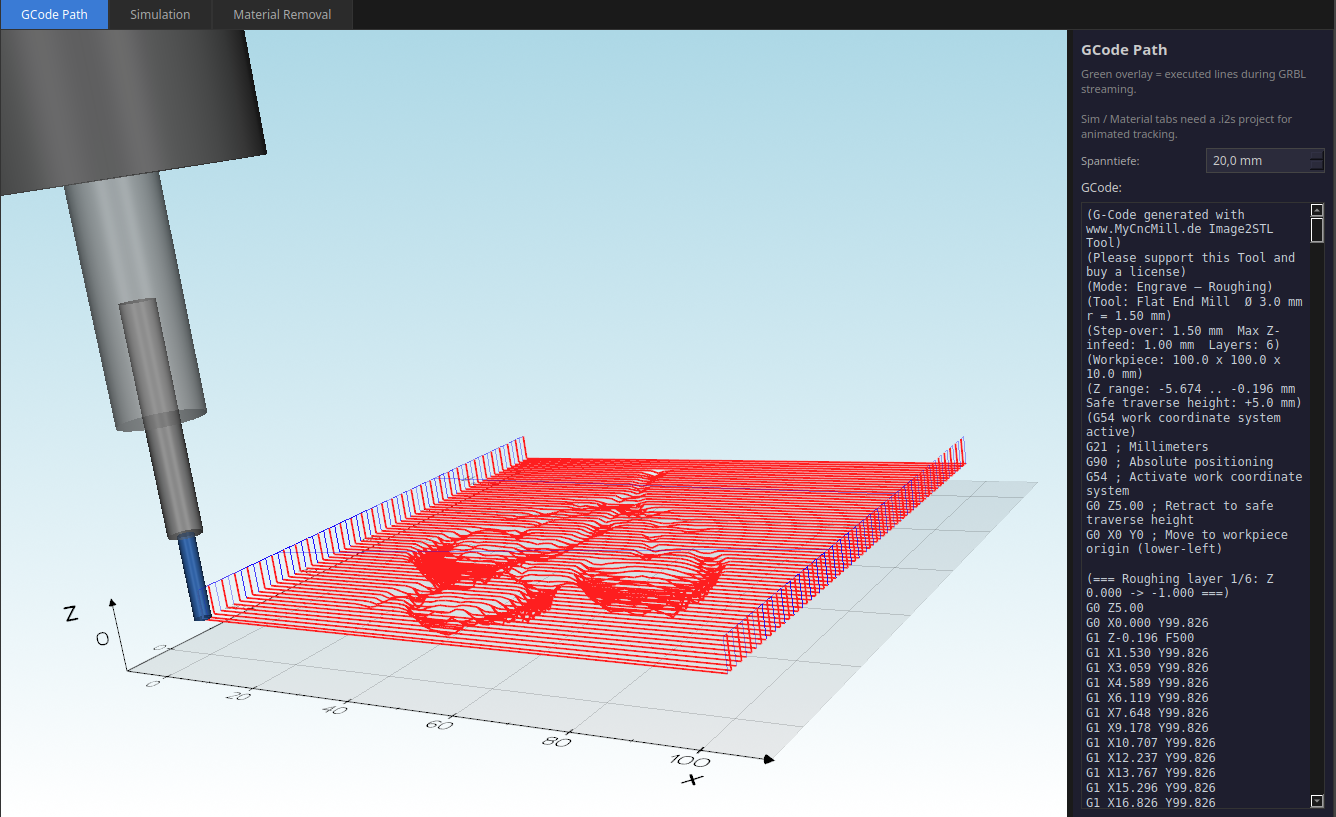
3D G-Code Path Visualizer

Feed moves in blue, rapids in white. Live tool-position indicator follows the machine. Completed path highlighted in green during execution.
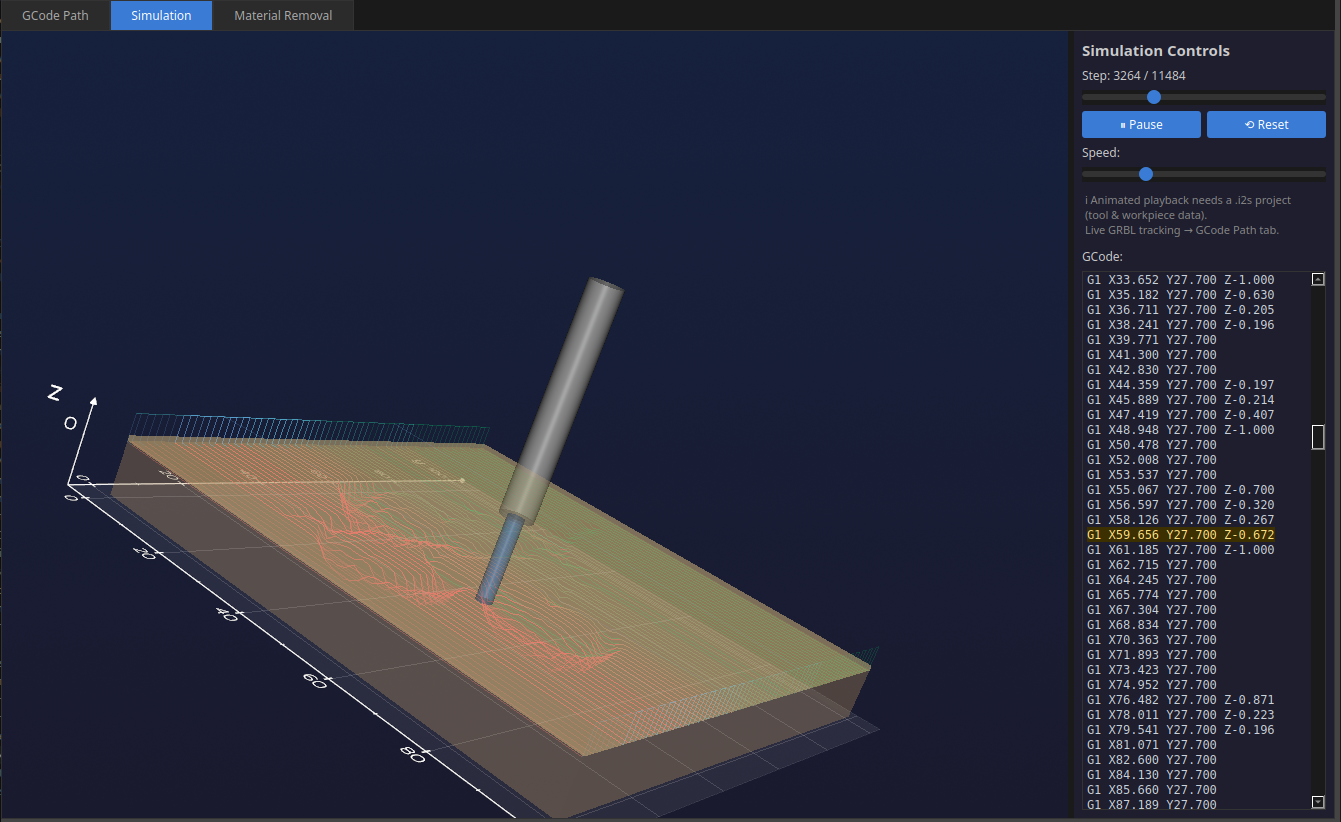
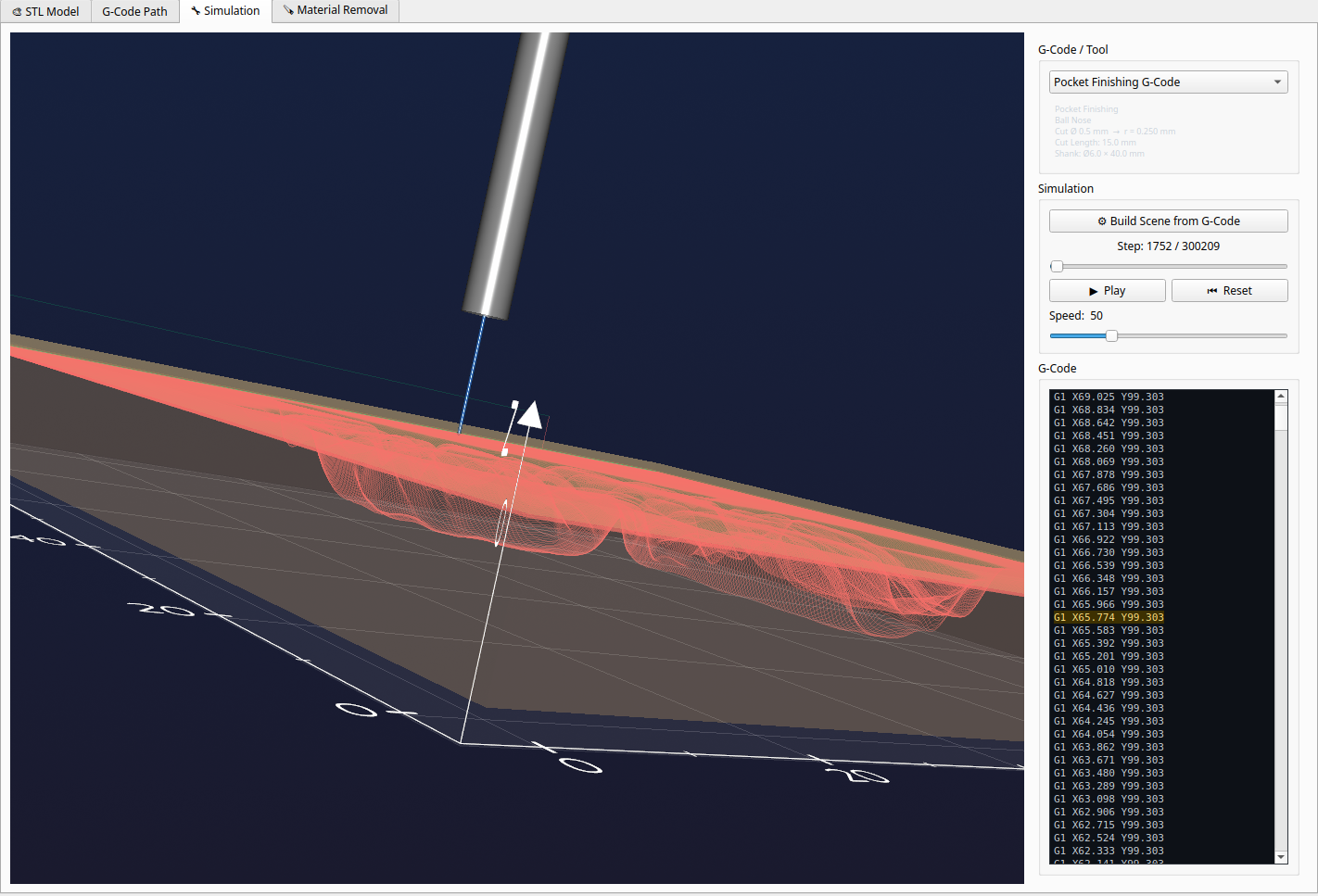
NC Simulation

Step-by-step NC playback with seek slider, play/pause, adjustable speed and synchronized amber G-Code line highlighting.
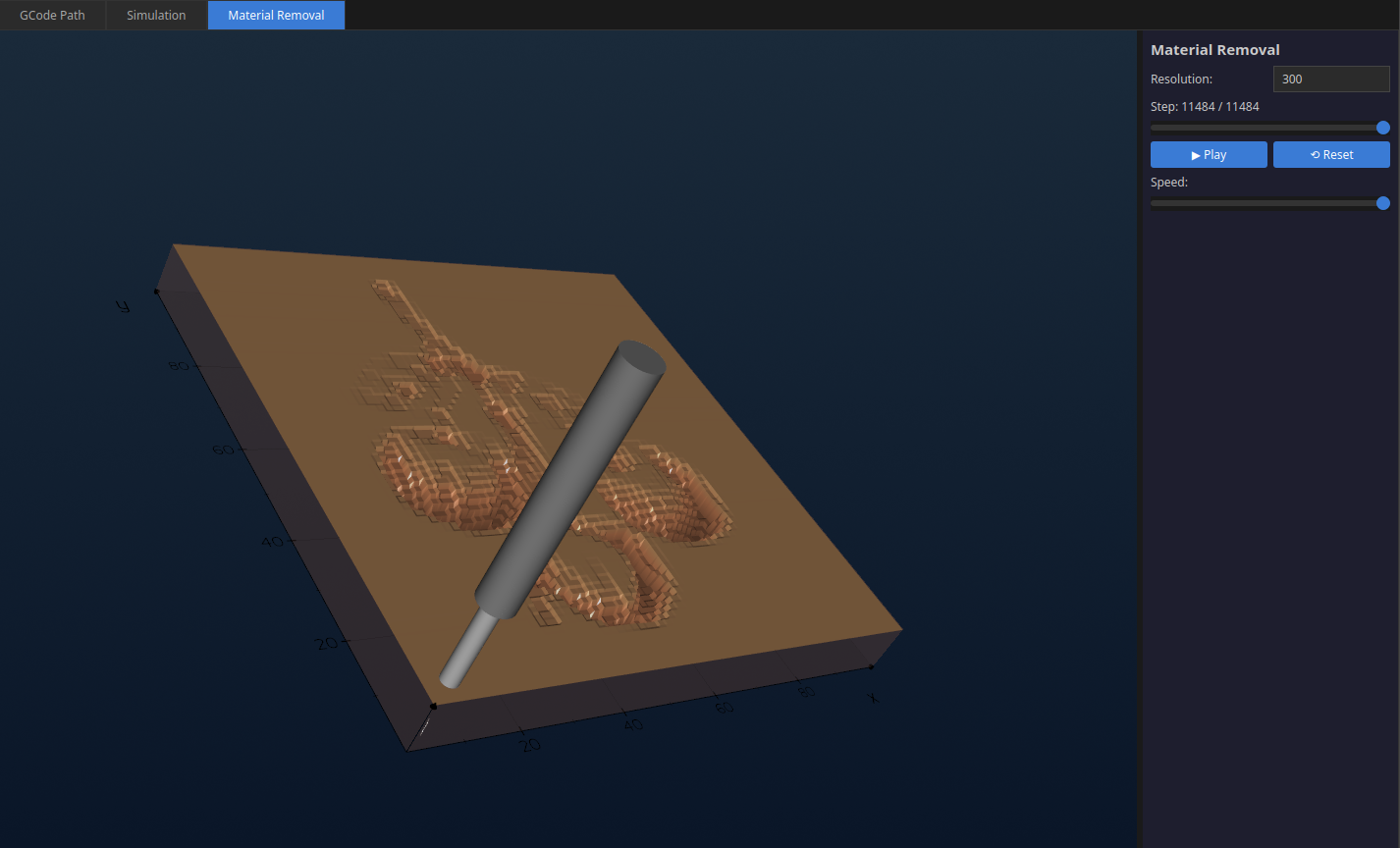
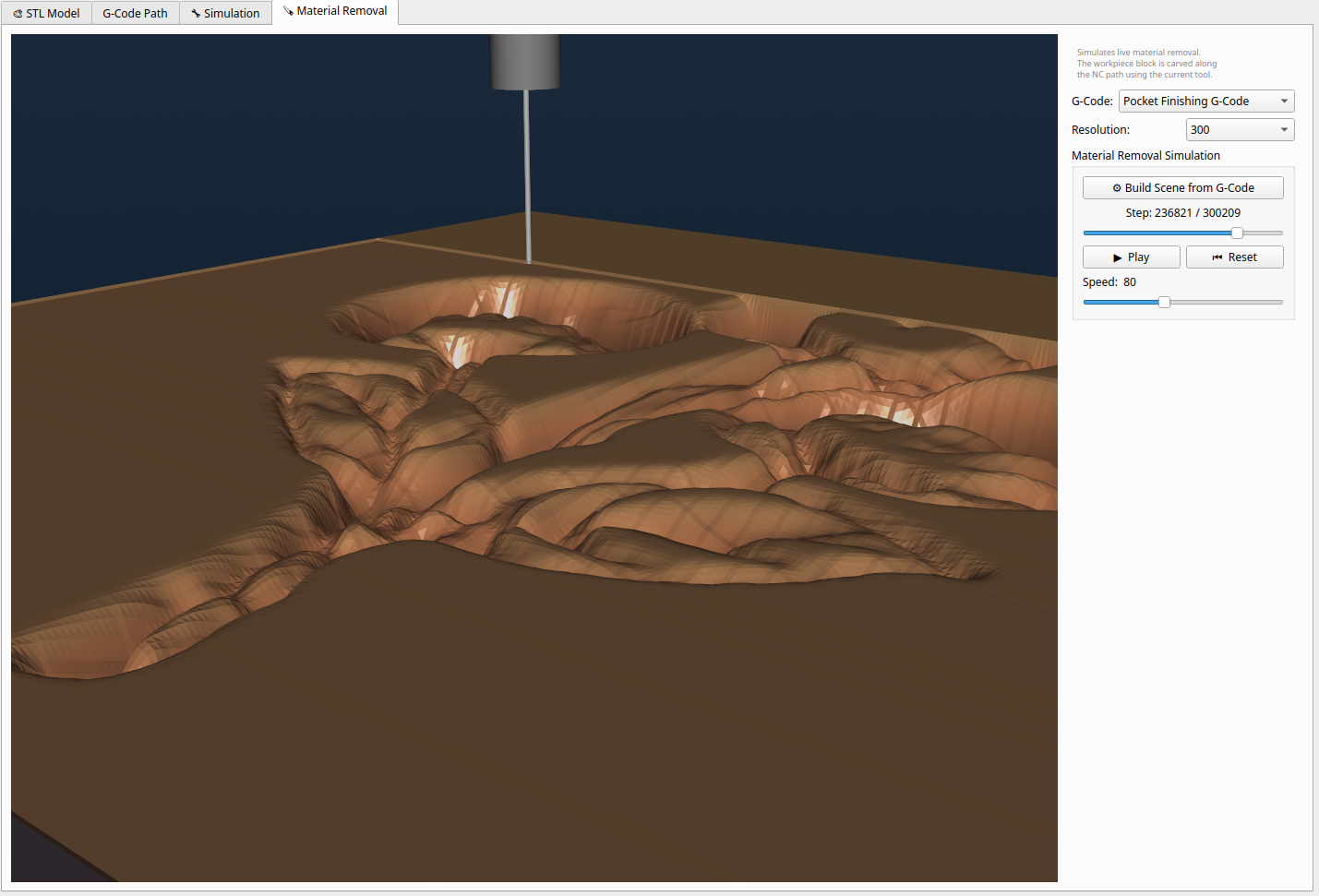
Material Removal Simulation

Voxel-based volumetric simulation — watch the tool carve the workpiece block and preview the finished surface quality.
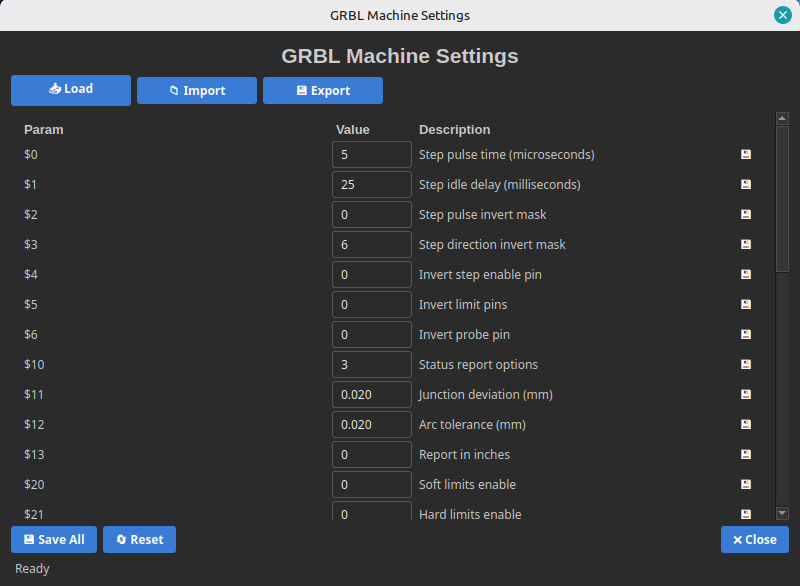
GRBL Settings Editor

Read all GRBL $-parameters from the machine, edit them in the table and write back instantly. Import/export as JSON for machine profiles.
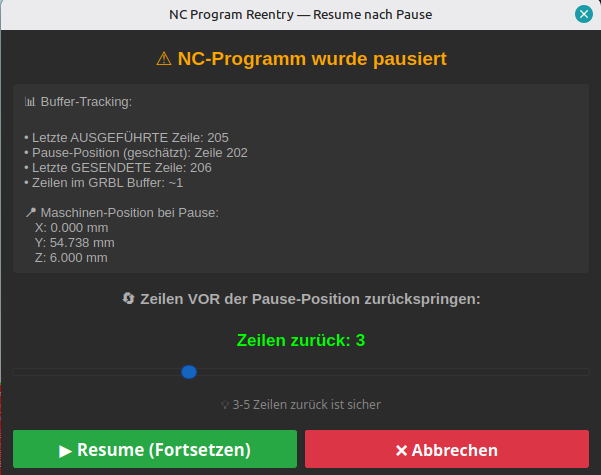
Resume after E-Stop

Flexible restart after alarm or emergency stop — resume from the last sent G-Code line or restart from the beginning of the program.
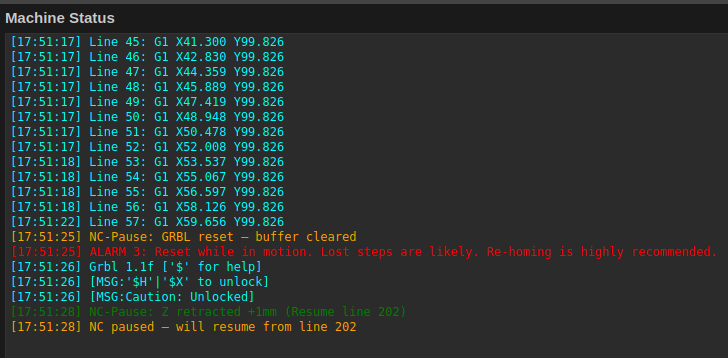
Color-coded GRBL status log

Color-coded machine status log — all 37 GRBL error codes and all 9 alarm codes are translated into plain English automatically.
Support MyCncMill

MyCncMill is completely free to use without functional restrictions. Your license helps us maintain, extend and ship the software.

Commercial use without a license is prohibited.

Image2STL – Turn Images Into CNC-Ready G-Code

Convert any photo or drawing into a 3D relief STL and generate professional roughing + finishing G-Code in one click.

From Photo to Milling Code in Minutes

  • Height-Field STL: Convert any PNG/JPG/BMP image into a precise 3D relief model based on pixel brightness — adjustable depth, width and smoothing.
  • Dual G-Code Generation: One click creates both a layer-by-layer roughing pass and a contour-following finishing pass as separate NC files, ready for the machine.
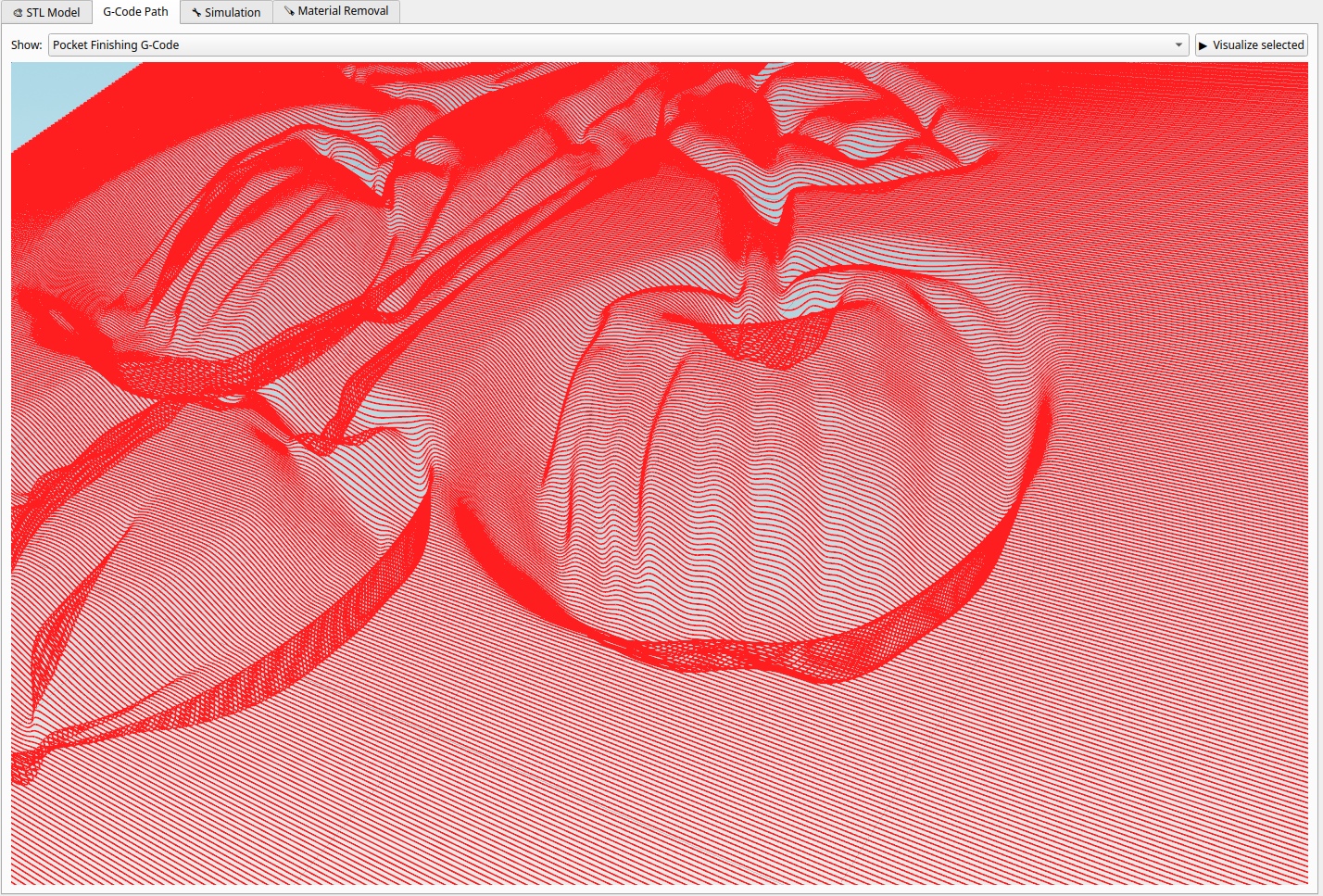
  • 3D Tool-Path Visualizer: Inspect the generated NC paths in 3D with feed/rapid colour coding and automatic X/Y/Z extents display.
  • Step-by-Step NC Simulation: Play back the machining process move-by-move with a seek slider and adjustable speed.
  • Material Removal Simulation: Watch the tool carve into the workpiece block in real time — preview the finished surface quality before you cut.
  • Interactive Image Editor: Darken, brighten, smooth, inpaint or lasso-fill regions directly in the app to fix artefacts without leaving the workflow.
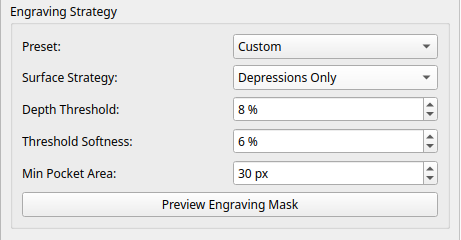
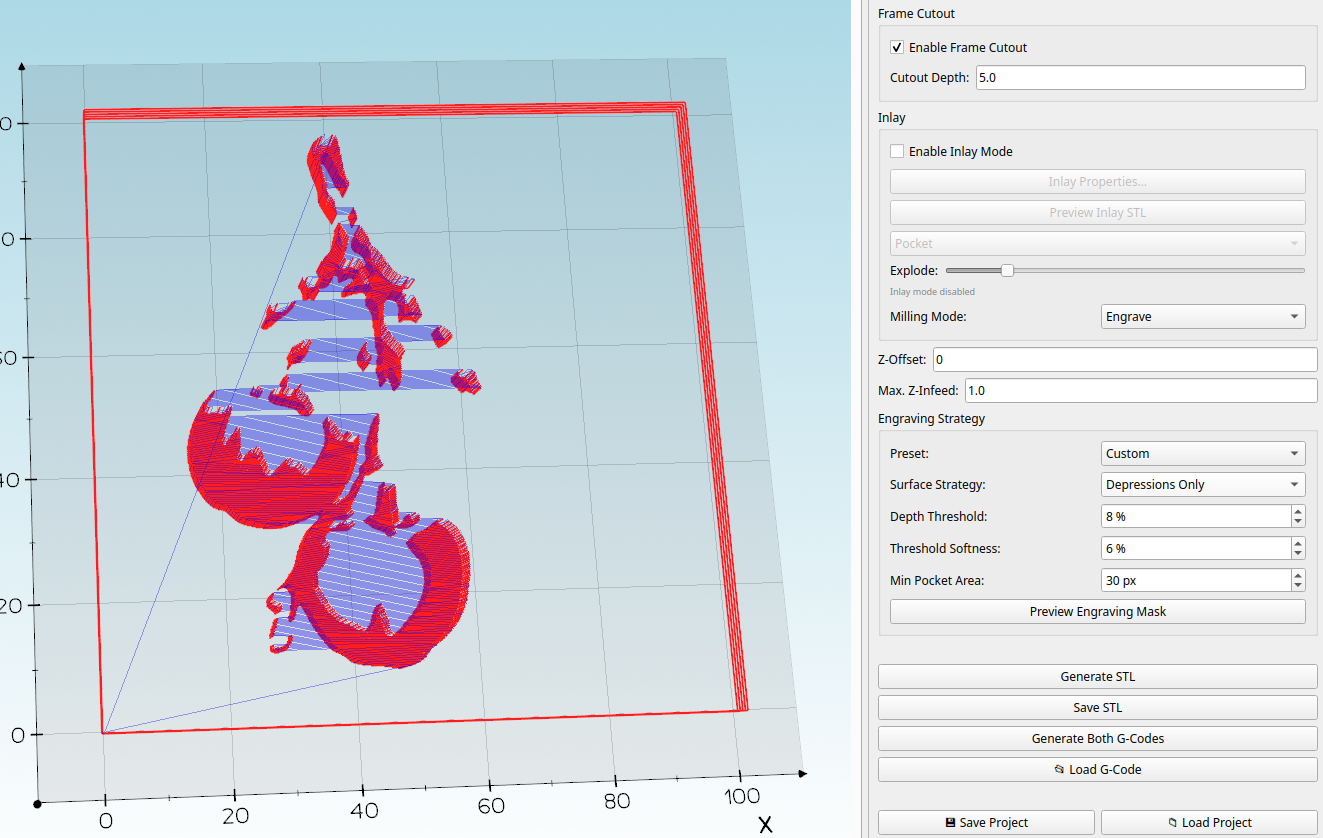
  • Engraving Strategy: Choose Full Surface or Depressions Only mode with configurable depth threshold, softness and minimum pocket area — with 3D live preview.
  • Frame Cutout: Automatically appends a workpiece outer-contour cut to the finishing G-Code — separate the part from the stock in the same program.
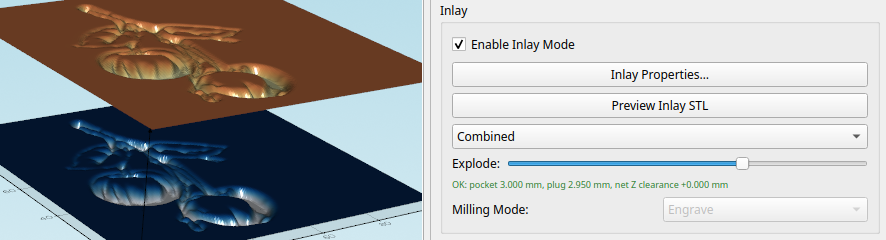
  • Inlay Workflow: Generate matched plug + pocket G-Code pairs for precise wooden inlay projects.
  • Project Files (.i2s): Save all settings, both tool configurations and both G-Code programs in a single file — restore the full session with one click.
  • G54 / G92 Support: Works with both work-coordinate-system offset (G54) and machine-origin zeroing (G92).

Design Reliefs Fast With Live 3D Feedback

  • Easily Design 3D Models: Build detailed reliefs directly from images with immediate visual feedback.
  • Add Pictures and Text: Combine overlays, shapes and text in one editor and see the result live.
  • Create Carving Code Quickly: Generate roughing and finishing G-Code from the same prepared design.
  • Stay in Flow: Real-time preview updates keep editing and machining setup in one smooth workflow.
STL Model View

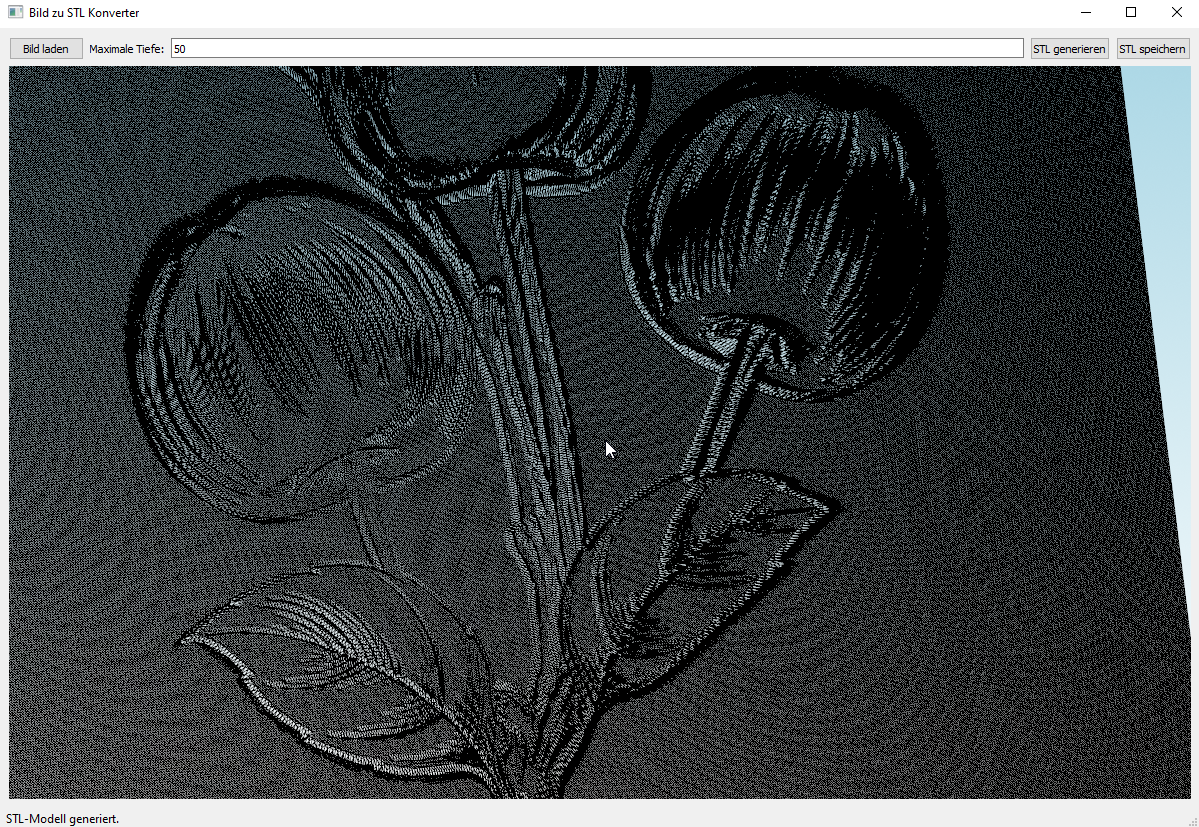
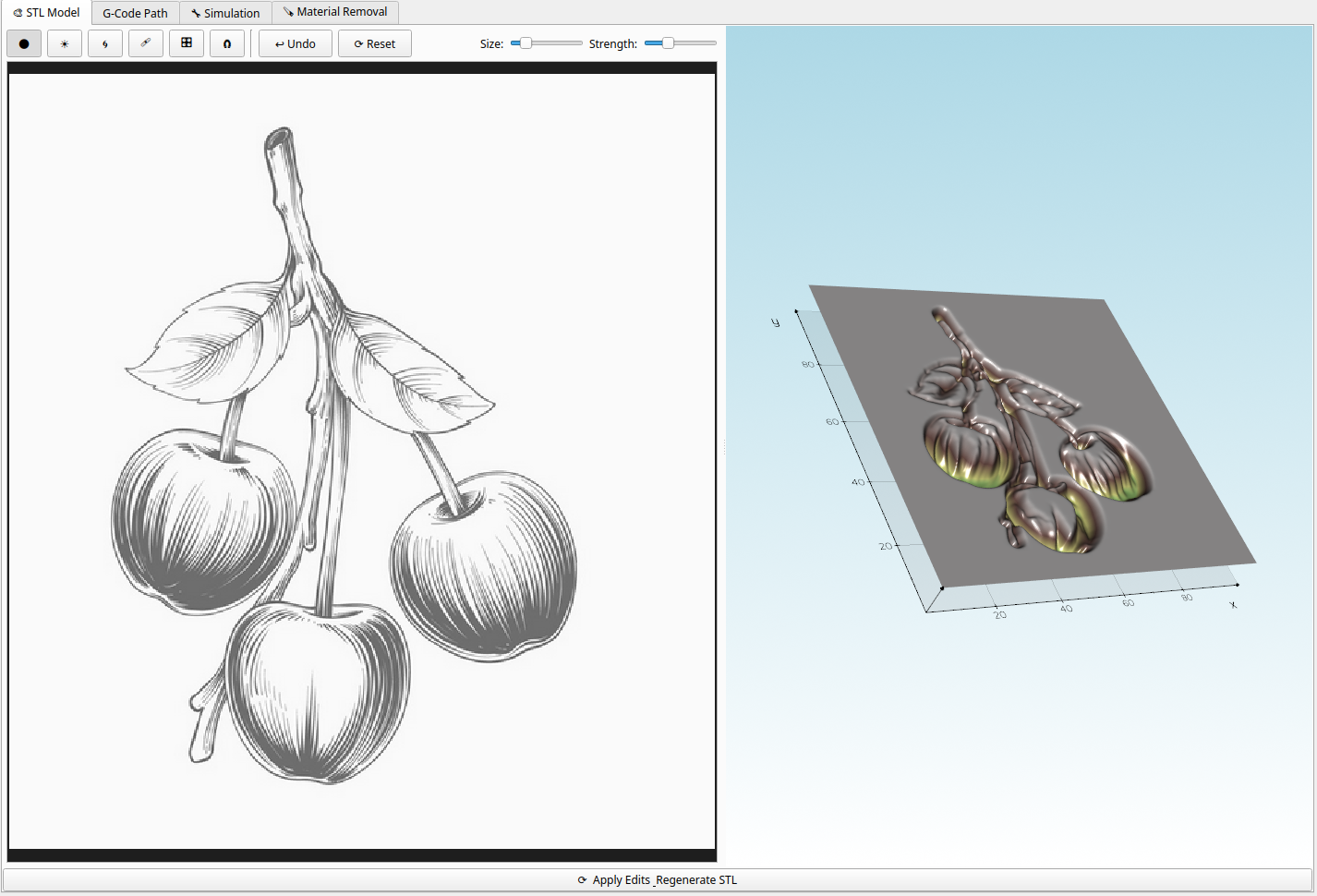
STL Model tab: real-time 3D preview of the height-field relief generated from your image — rotate, zoom and inspect before generating G-Code.

G-Code Path Visualizer

G-Code Path tab: roughing and finishing tool paths displayed simultaneously in 3D — feed moves and rapid traversals clearly color-coded.

NC Simulation

Simulation tab: step through the NC program with seek slider, play/pause, variable speed and a synchronized G-Code highlight.

Material Removal Simulation

Material Removal tab: live volumetric simulation — the workpiece block is carved in real time, giving you a faithful preview of the finished surface.

Interactive Image Editor

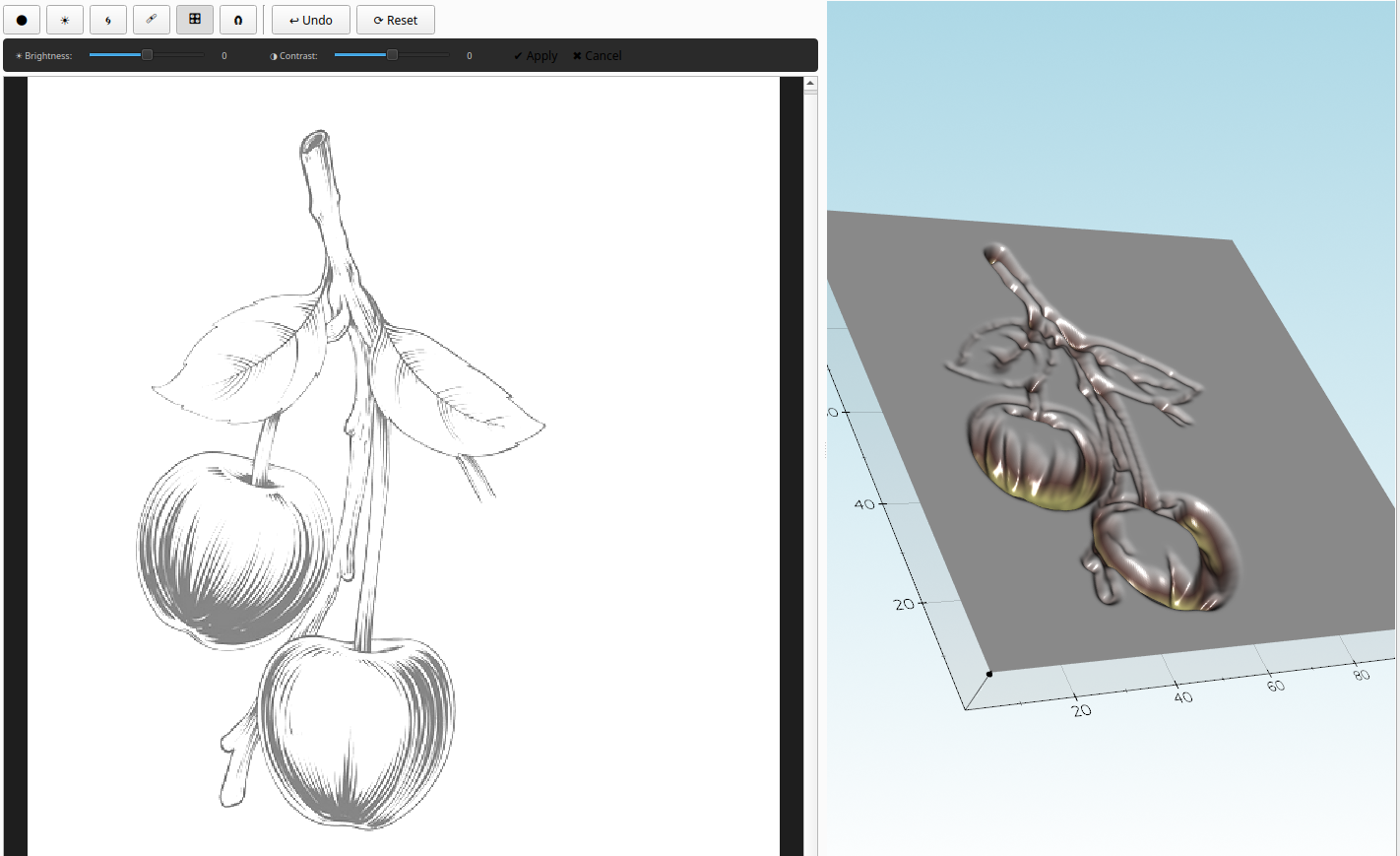
Built-in image editor with brush tools: darken, brighten, smooth, inpaint and lasso-fill — correct artefacts directly before STL generation.

Engraving Strategy

Engraving Strategy panel: Depressions-Only mode filters out flat areas and keeps only the recessed relief — ideal for artistic engravings and reliefs from line drawings.

STL Tool Preview

Configurable tool parameters dialog — set mill type, cutting diameter, cut length, shank diameter and shank length for both roughing and finishing tools.

Frame Cutout

Frame Cutout option: automatically adds an outer-contour pass to the finishing G-Code at the set depth — cut the workpiece free in the same run.

Inlay Workflow

Inlay Workflow: configure pocket and plug parameters to generate matched pairs of G-Code files for perfect press-fit wooden inlays.

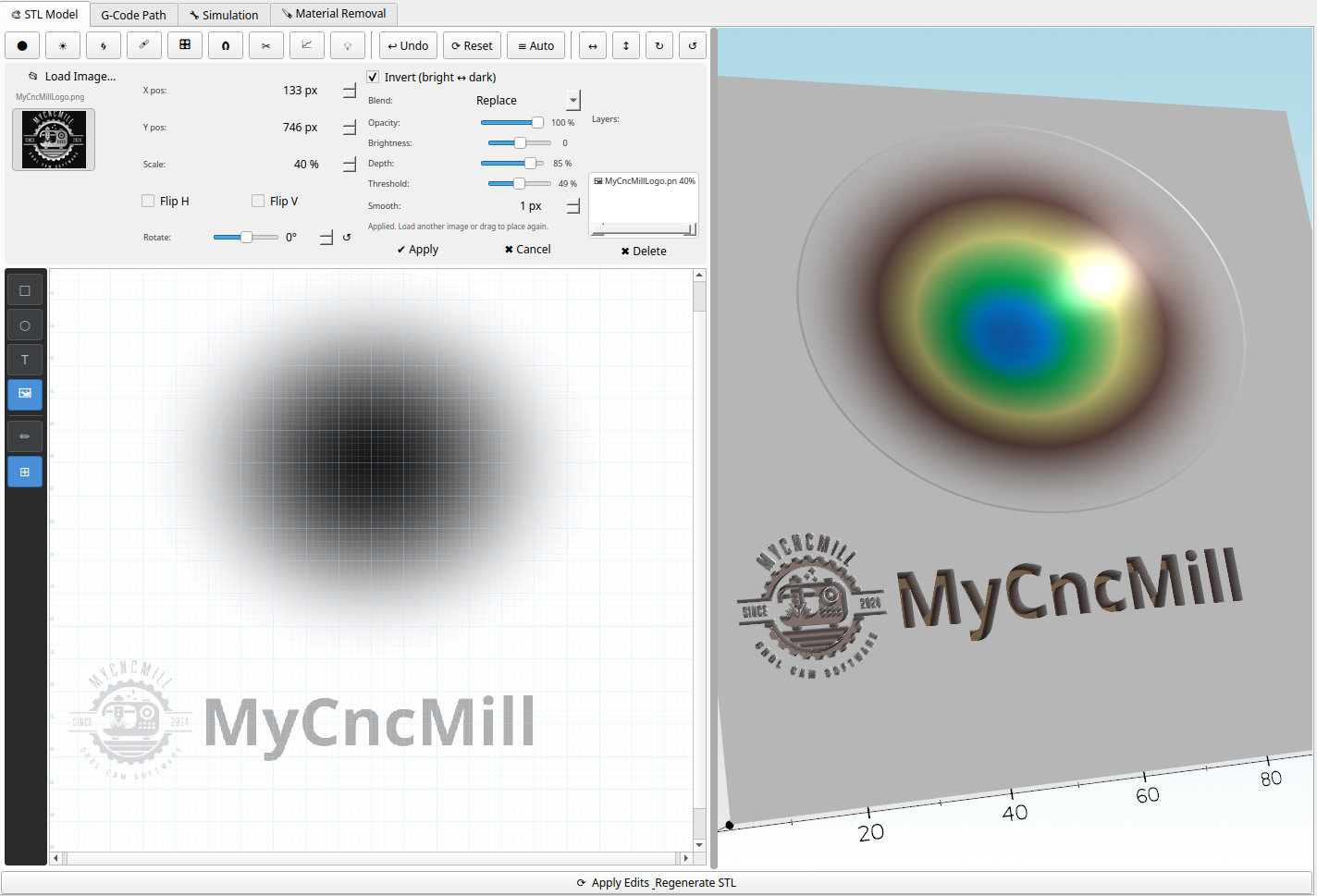
Image Editor with Live 3D Preview

Single workspace view: edit image content on one side and inspect the resulting 3D relief directly beside it before creating carving code.

Download Image2STL

Get the latest version of Image2STL — G-Code Generator & Visualizer!

⬇ DOWNLOAD Linux ⬇ DOWNLOAD Windows


License Image2STL – 9.99 € / Year

Without a license the tool runs with functional restrictions. Purchase a 1-year license to unlock the full version.